
Passport Photo Maker and Print Sheet
Create a single photo or a printable sheet (8, 12, or 15 photos).
Upload Image to Start
Generate Photo:
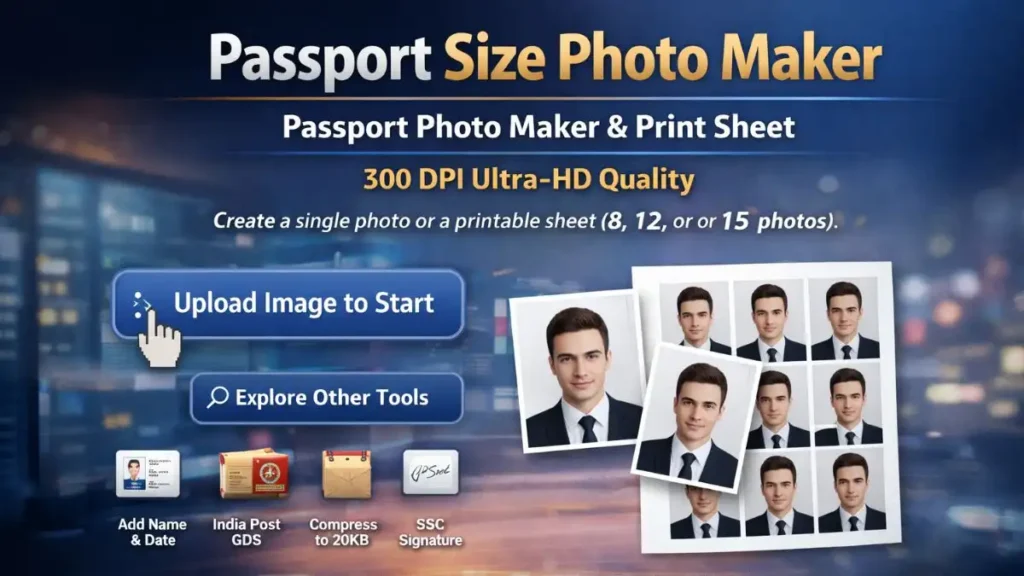
Are you tired of visiting a professional photo studio every time you need to apply for a job or a visa? Whether you are a student applying for the India Post GDS 2026 or a traveler needing a 2×2 passport photo maker for a US Visa, the process should be simple, fast, and free.
Our passport photo maker is a comprehensive solution that bridges the gap between a simple smartphone selfie and a professional, government-approved identification photo. In today’s digital age, you shouldn’t have to pay a premium for a basic passport size photo when you have the technology right in your pocket.
Why Your Passport Photo Gets Rejected (And How to Fix It)
The primary reason for “high impressions but low clicks” or high bounce rates is that users are looking for very specific technical requirements. Most people searching for a passport size photo maker aren’t just looking to crop a picture; they are trying to solve a specific problem like:
- “How do I convert photo to passport size without losing quality?”
- “What is the exact passport size photo size in cm for the SSC or UPSC portal?”
- “How can I make passport size photo under 50KB?”
Our tool solves all of these issues instantly by providing high-resolution, 300 DPI outputs that meet the “gold standard” for both physical printing and digital verification.
How to Create Passport Size Photo Online
Our passport-size photo converter is designed to be intuitive, even if you have no Photoshop or graphic design experience. Here is a deep dive into the 3-step process to ensure official portals never reject your image.
Step 1: Capturing the Perfect Base Image
Before you make passport size photo files, you need a good starting point. You don’t need a DSLR; a modern smartphone is enough.
- Lighting: Stand facing a window. Natural light is best to avoid shadows behind your ears or under your nose.
- Background: Use a plain white or off-white wall. Our passport photo creator tool works best when the background is uncluttered.
- Posture: Keep your shoulders square and look directly at the camera. Do not tilt your head.
Step 2: Using the Passport Size Photo Maker
Once you have your photo, upload it to our editor. This is where the magic happens. Our passport photo generator doesn’t just cut your image; it aligns it.
- Interactive Editing: Use the zoom and drag tools. Our editor locks the aspect ratio so you don’t accidentally stretch or distort your face.
- Country Presets: Instead of Googling “what is the passport size photo size in cm?”, you can select “India,” “USA,” or “UK” from our dropdown menu.
Step 3: Optimisation and Download
The final step in our passport size photo converter is to select your file constraints. Many government portals (like GDS or SSC) require the file to be under a specific size, such as 20KB or 50KB. Our tool allows you to:
- Select the 300 DPI output for maximum sharpness.
- Adjust the compression slider to hit the exact “Under 50KB” target.
- Download the JPG, and you are ready to upload to any portal.
Passport Size Photo Size in CM, MM, and Inches
Navigating global requirements can be a nightmare. To help you create passport size photo files that actually work, we have compiled the 2026 requirement table for the most popular applications.
| Application Type | Required Dimensions | Unit | Target File Size | Common Use Case |
| India Post GDS / SSC | 3.5 x 4.5 | CM | Under 50 KB | Recruitment Portals |
| US Visa / OCI Card | 2 x 2 | Inch | Under 100 KB | International Travel |
| China Visa | 33 x 48 | MM | Under 100 KB | Business/Travel |
| PAN Card / Aadhar | 2.5 x 3.5 | CM | Under 30 KB | Indian ID Documents |
| Schengen Visa | 3.5 x 4.5 | CM | Under 80 KB | European Travel |
The Importance of 300 DPI in a Passport Photo Maker
Most online tools “thin out” pixels to reduce file size. This results in a “blocky” or blurred image that gets rejected by AI verification systems used by embassies. Our passport photo maker defaults to 300 DPI (Dots Per Inch). This ensures that even if you compress the photo to a tiny 20KB, the facial features remain sharp enough for biometric scanning.
Why Our Passport Size Photo Converter is the Industry Leader
1. Advanced Browser-Based Privacy
Privacy is our #1 priority. When you use our online passport photo maker free, your image is not uploaded to a cloud server. The processing happens locally on your device (browser-side). This means:
- Your personal biometric data stays with you.
- No risk of server-side data leaks.
- Faster processing even on slow internet connections.
2. Precision 2×2 Passport Photo Maker for Global Visas
The 2×2 inch (51×51 mm) format used by the US State Department and OCI applications is notoriously difficult. It requires the head height to be between 1 inch and 1 3/8 inches. Our passport photo maker includes a visual guide that ensures your head-to-height ratio is perfect every time, reducing the risk of a “denied” visa status.
3. Smart File Compression for Indian Portals
Indian government portals such as UPSC, SSC, and IBPS are strict about file size limits. If a portal asks for a photo between 20KB and 50KB, and your file is 51KB, the system will reject it. Our passport-size photo converter includes a “Live Size Preview” so you can see the exact KB size before you hit download.
Common Mistakes When You Make Passport Size Photo Files
If you are trying to convert photo to passport size, avoid these frequent errors:
- The “Selfie” Look: Holding the camera too close can cause “lens distortion,” making your nose look larger than it is. It is better to have someone else take the photo from 4-6 feet away and then use our passport photo maker to crop in.
- Wearing Glasses: Even if they are prescription, glare on the lenses can lead to rejection. It is safer to remove them.
- Shadows on the Background: If you stand too close to the wall, you’ll cast a dark shadow. Step about 1-2 feet away from the wall to create a clean, white background for the passport size photo maker to process.
Frequently Asked Questions (FAQs)
What is the standard passport size photo size in cm for India?
The most common size for Indian documents (like the Passport or SSC exams) is 3.5 cm x 4.5 cm. However, always check the specific notification, as some exams might require different dimensions.
Can I convert photo to passport size on a mobile phone?
Yes! Our tool is fully responsive. You can snap a photo with your phone, upload it to our passport size photo maker, and download the final result in seconds.
Is a 2×2 passport photo maker the same as a 3.5×4.5 cm one?
No. The 2×2 inch size is a square format (mostly for the USA), while the 3.5×4.5 cm is a rectangular format. Our tool provides specific presets for both to ensure you don’t use the wrong aspect ratio.
Why does my photo look blurred after I create passport size photo?
This usually happens if the original photo was low quality or if you used an editor that doesn’t support 300 DPI. Our passport photo generator maintains high resolution to prevent this issue.
Start Using the Best Passport Photo Maker Today
Don’t let a poorly sized photo stand between you and your dream job or your next international trip. With our online passport photo maker free, you get professional studio results without the studio price tag. Whether you need to convert a photo to passport size for a local exam or make passport size photo files for a global visa, we have the tools, DPI, and privacy you need.
Ready to get started? Use the upload button at the top of the page to create passport size photo files in under 5 seconds.